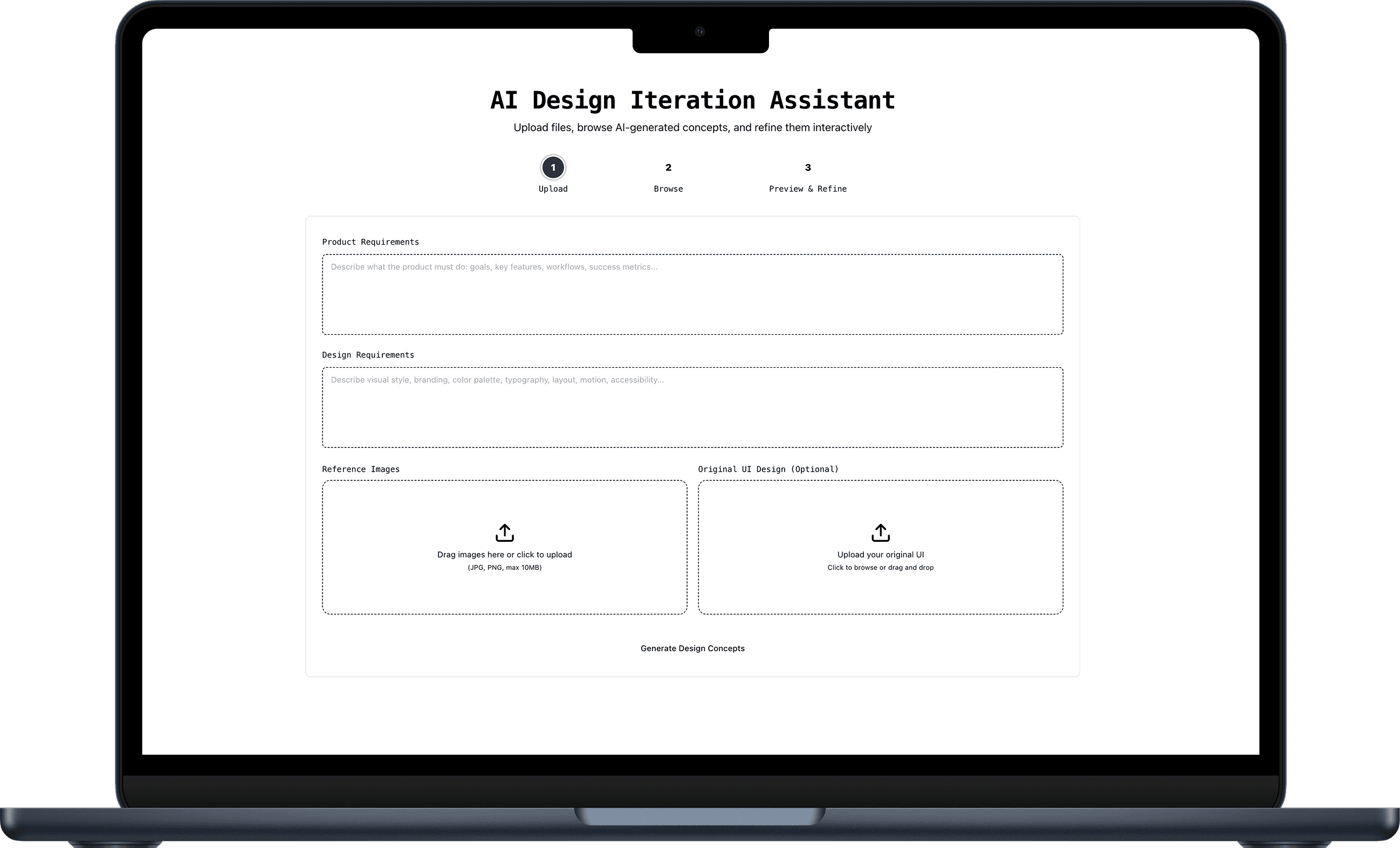
The Gap
At TikTok, we designed the WebApp login flow. The PM’s PRD was text-only, and after two days of design work, the first review revealed major misunderstandings. This delayed the project from a few days to over three weeks.
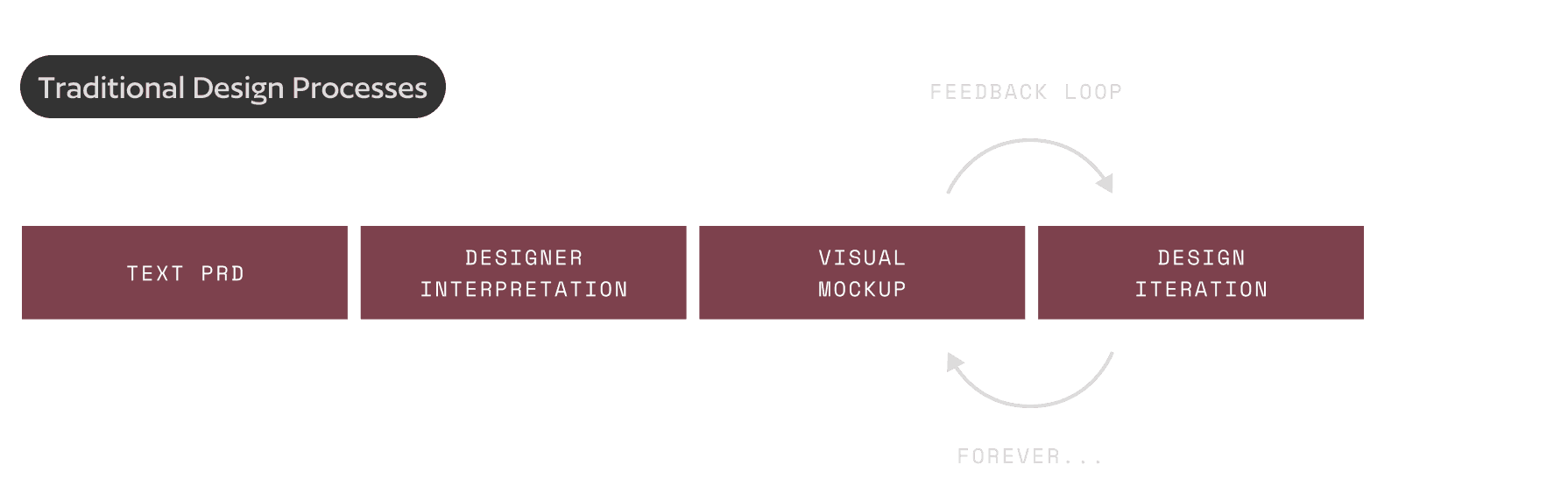
Text PRDs led to late discovery of misalignment, causing designers to spend time polishing the wrong direction before confirming core logic.
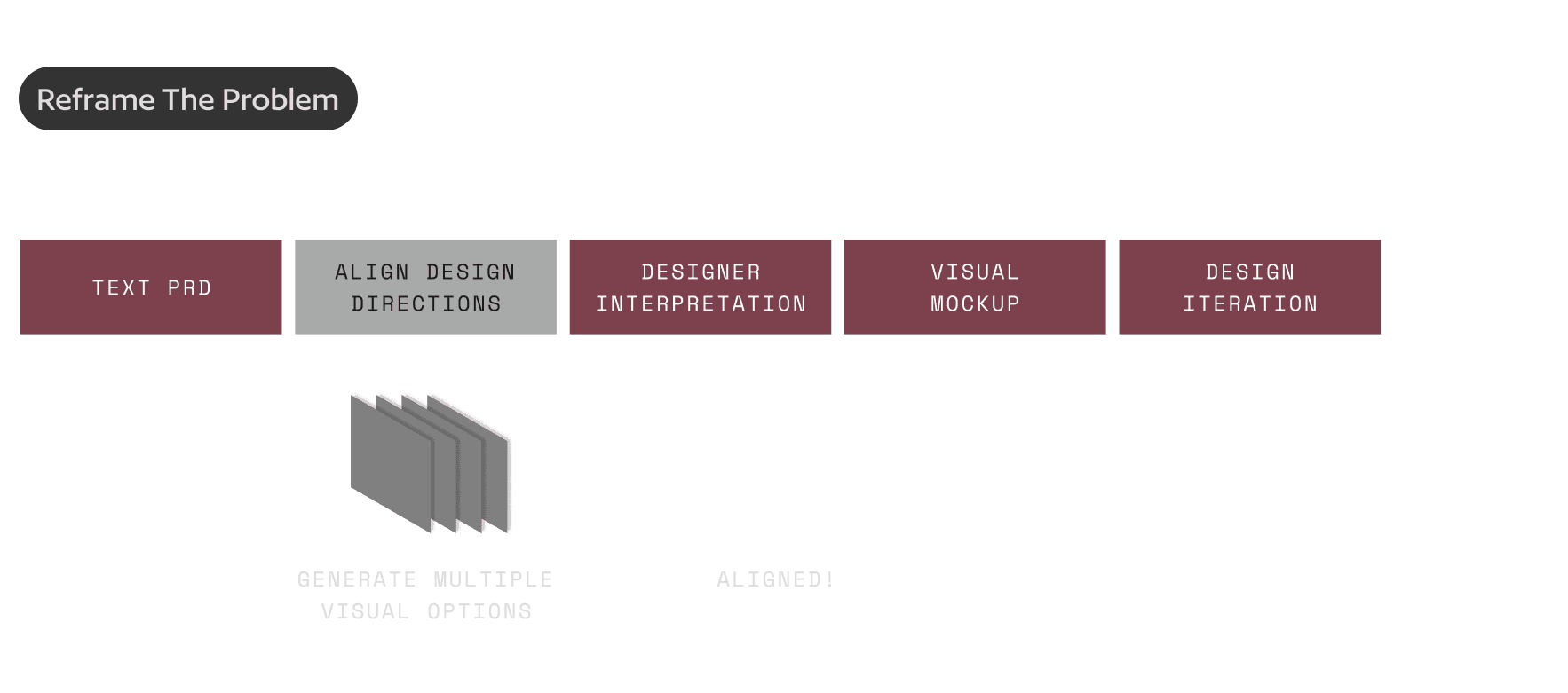
If the team can generate multiple visual directions early during the problem-definition stage, we can:
✓ Align on direction sooner (shift alignment left)
✓ Let designers spend time on craft instead of interpreting vague requirements
✓ Enable PMs and engineers to actively participate in design exploration
Solution
A tool that transforms ambiguous requirements into multiple visual directions, enabling faster stakeholder alignment and freeing designers to focus on refinement.
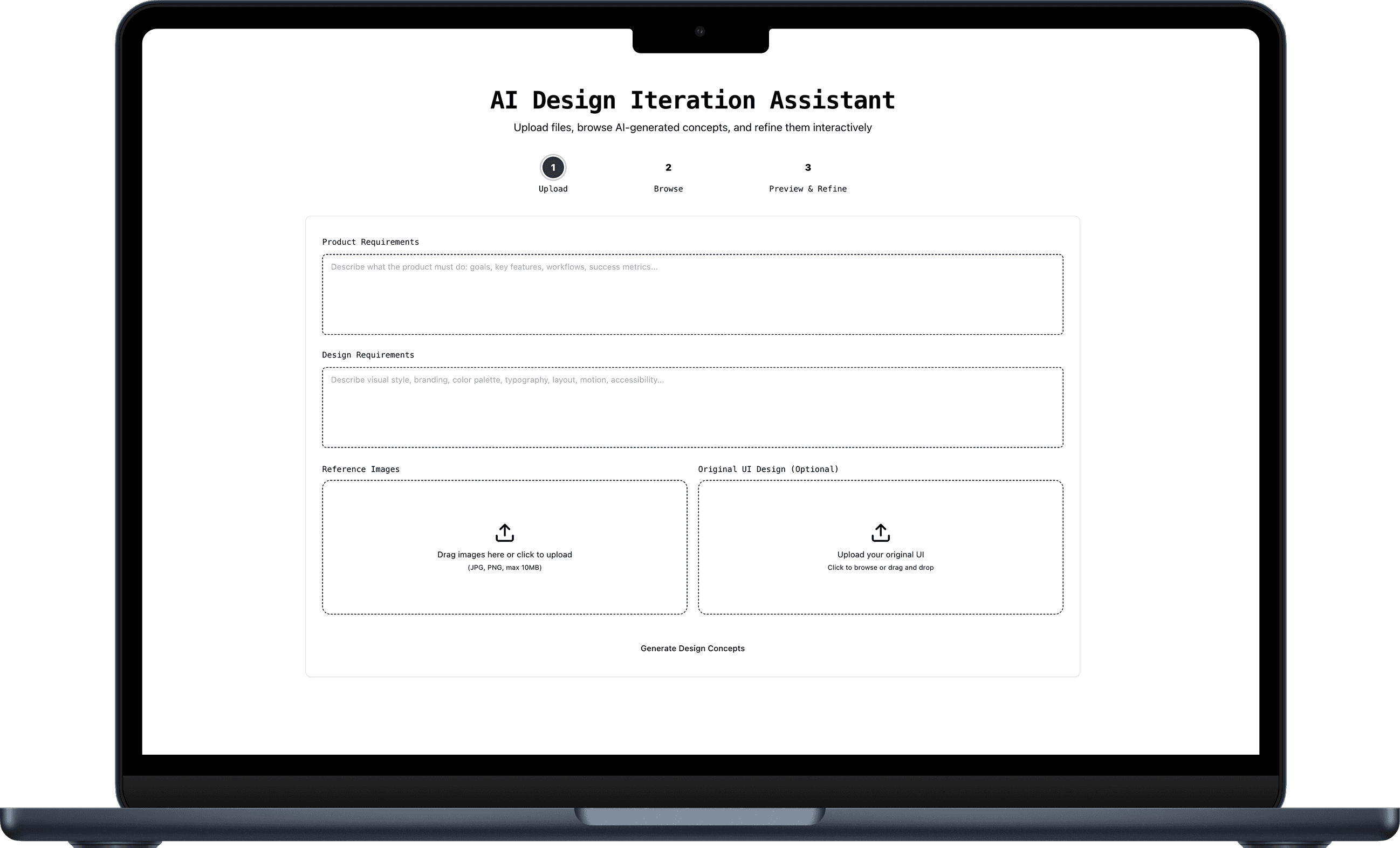
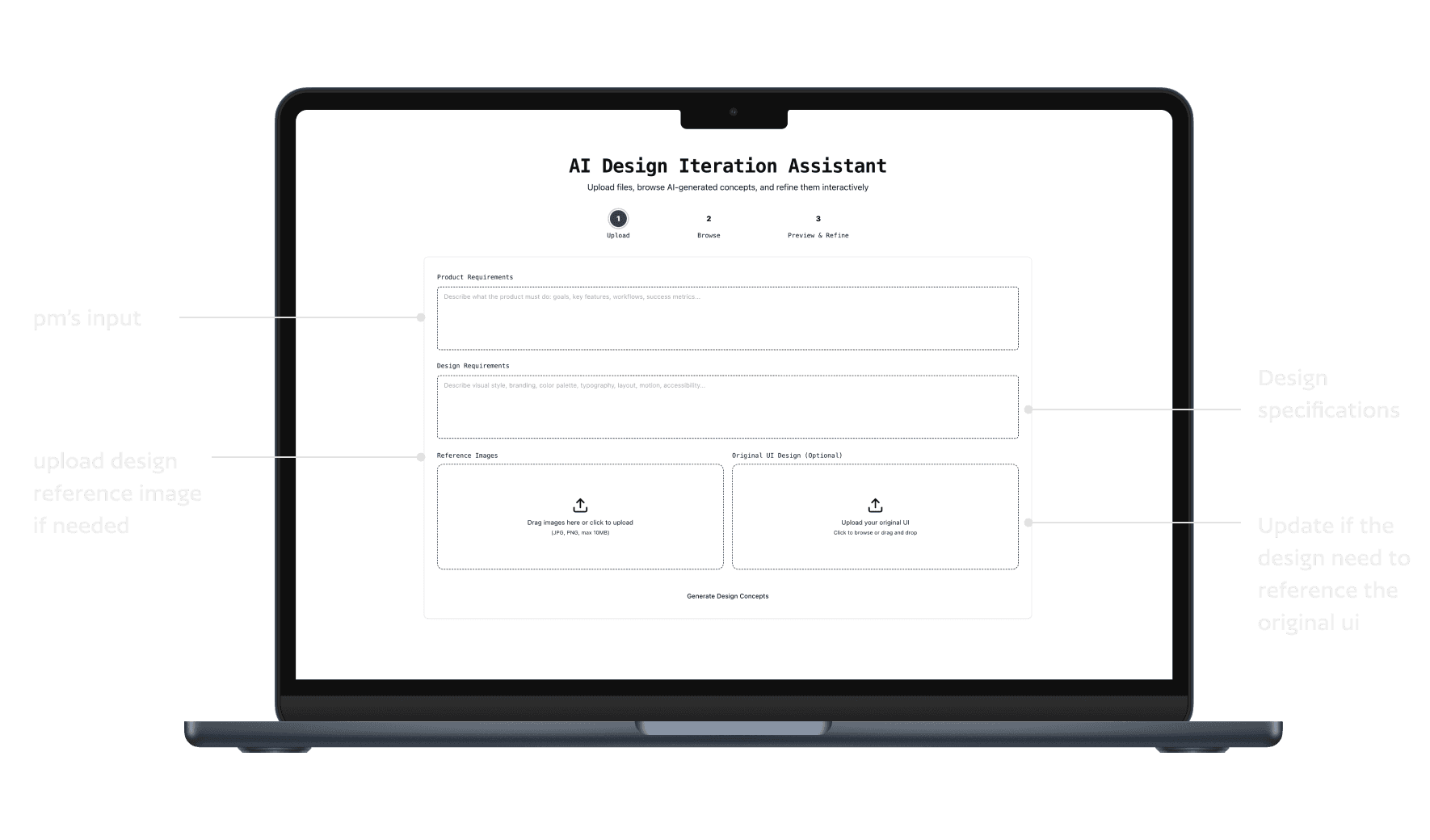
Demo
Prompt:
Product Requirement:
Design a task queue interface for an AI agent, used to manage multiple tasks delegated by users. Core requirements: - Users can see all in-progress and completed tasks - Each task displays: current status, estimated completion time, key steps - Users can pause, cancel, or adjust task priority - When the task encounters ambiguity, the agent will proactively ask the user.
Design Requirement:
- Professional, efficient, trustworthy - Suitable for productivity tool - Supports dark mode - dynamic layout - modern typeface. Reference: Similar to Linear's minimalist aesthetics, but pays more attention to the visualization of the AI agent's "thinking process
Prompt:
Product Requirement:
Refine the TikTok video viewing experience. This is the current desktop version. However, I think the design is not attractive and not immersive. I want to keep all the elements the same, but refine the layout on the left nav bar. The purpose of this redesign is to increase user immersive engagement and increase login rate/user conversion rate.
Design Requirement:
i want to add a floating bubble on the bottom left corner, it can help users to click login (text in the bubble: to see more video like this, click log in), and a log in cta at the bottom. Make sure these design align with the current design styles. Clean and neat
Details
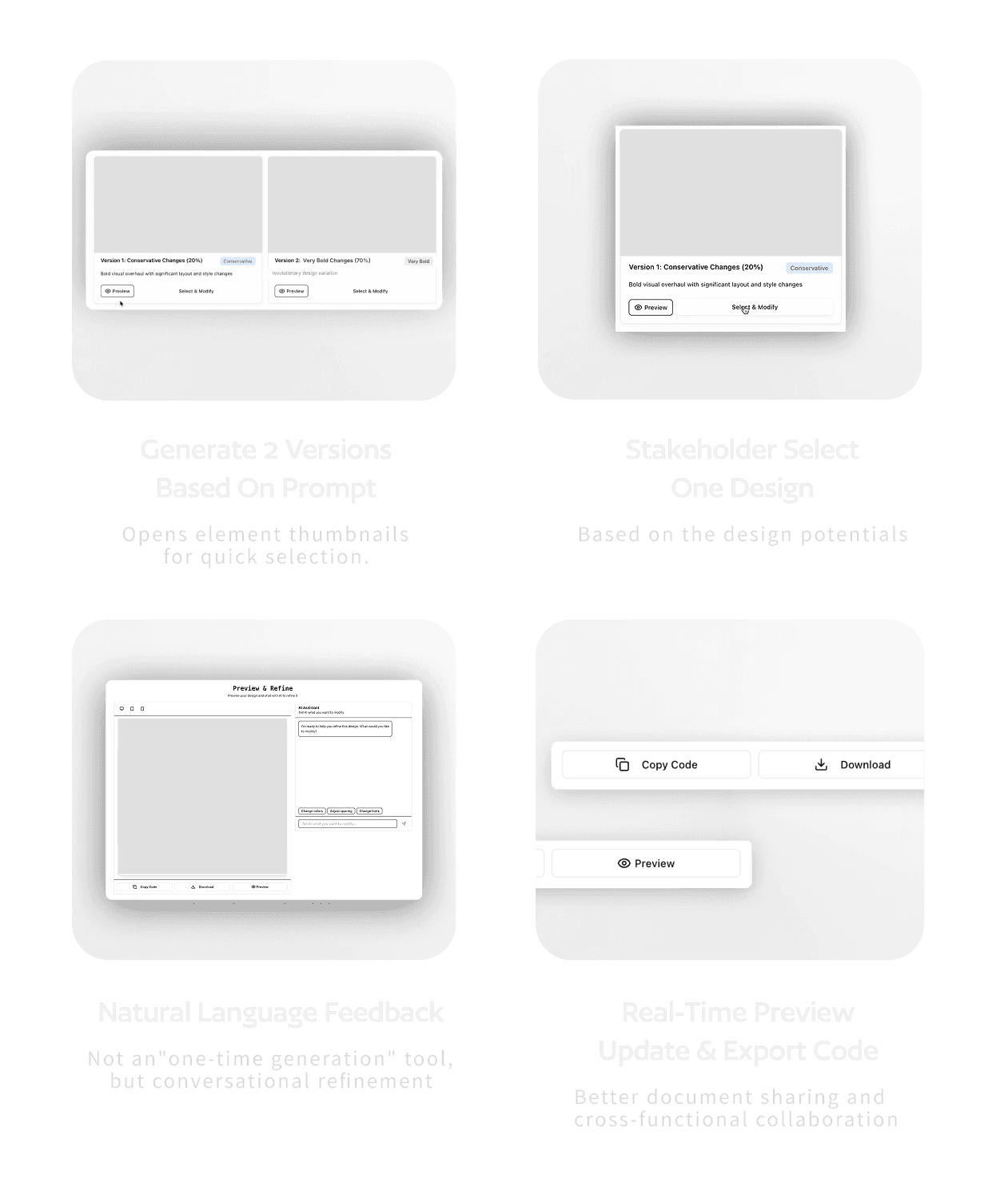
Architecture:
Frontend (Next.js + React)
↓
Prompt Enhancement (Claude Sonnet 4.5)
—— Analyzes user inputs
—— Infers design configuration
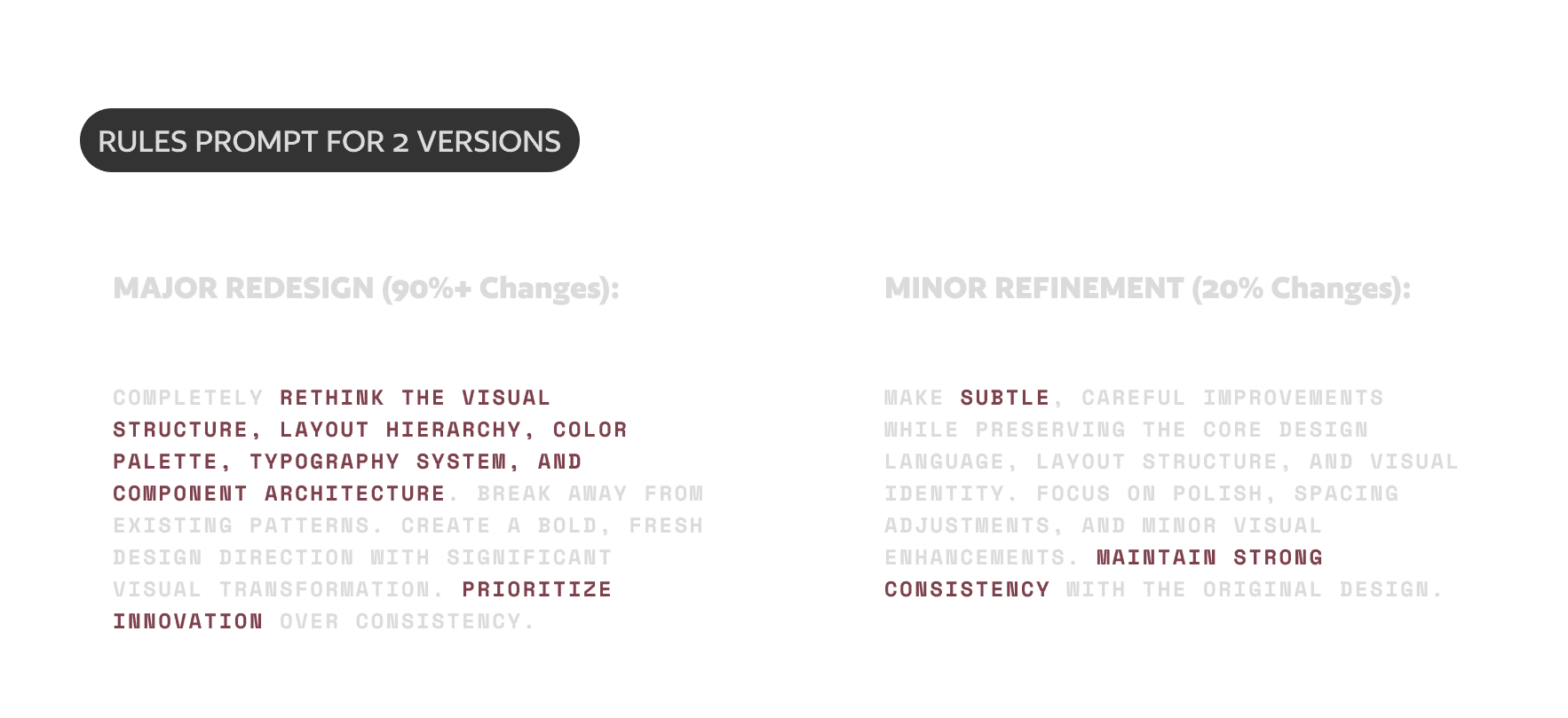
—— Generates differentiated prompts
↓
v0 SDK Client
—— Sends two prompts in parallel
—— Retrieves preview outputs
—— Supports iterative refinement
↓
Deployment on Vercel
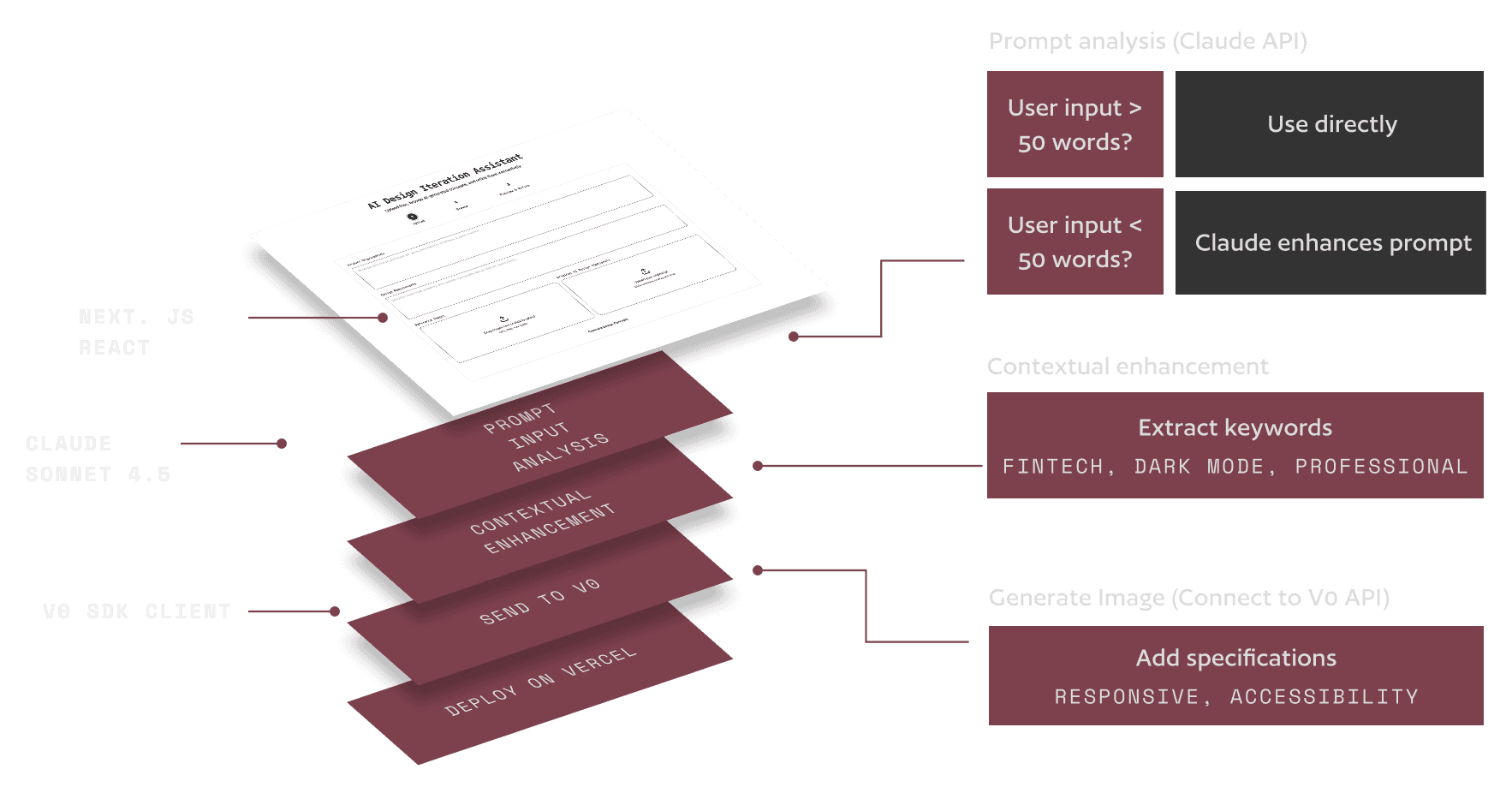
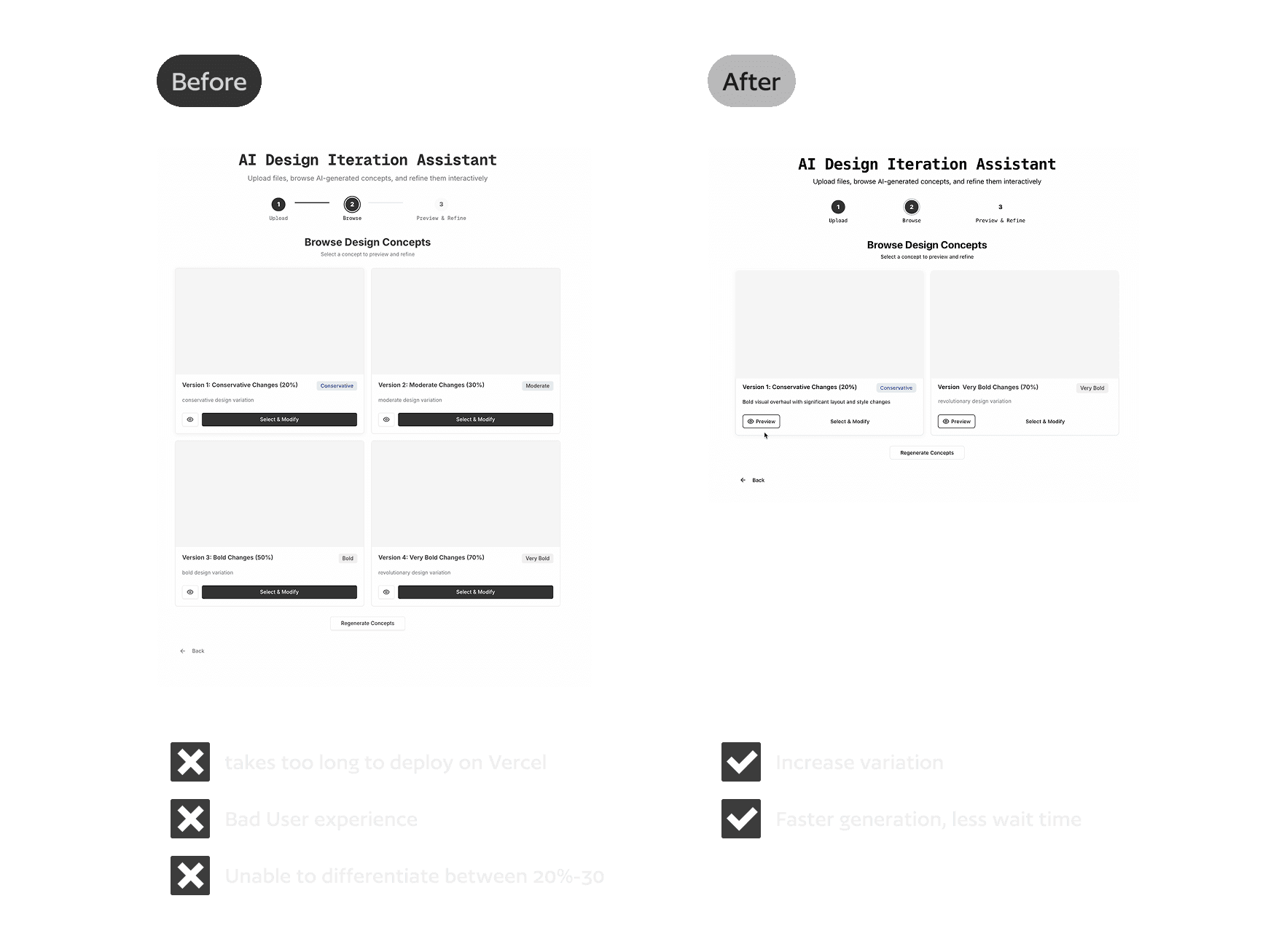
Contextual Enhancement:
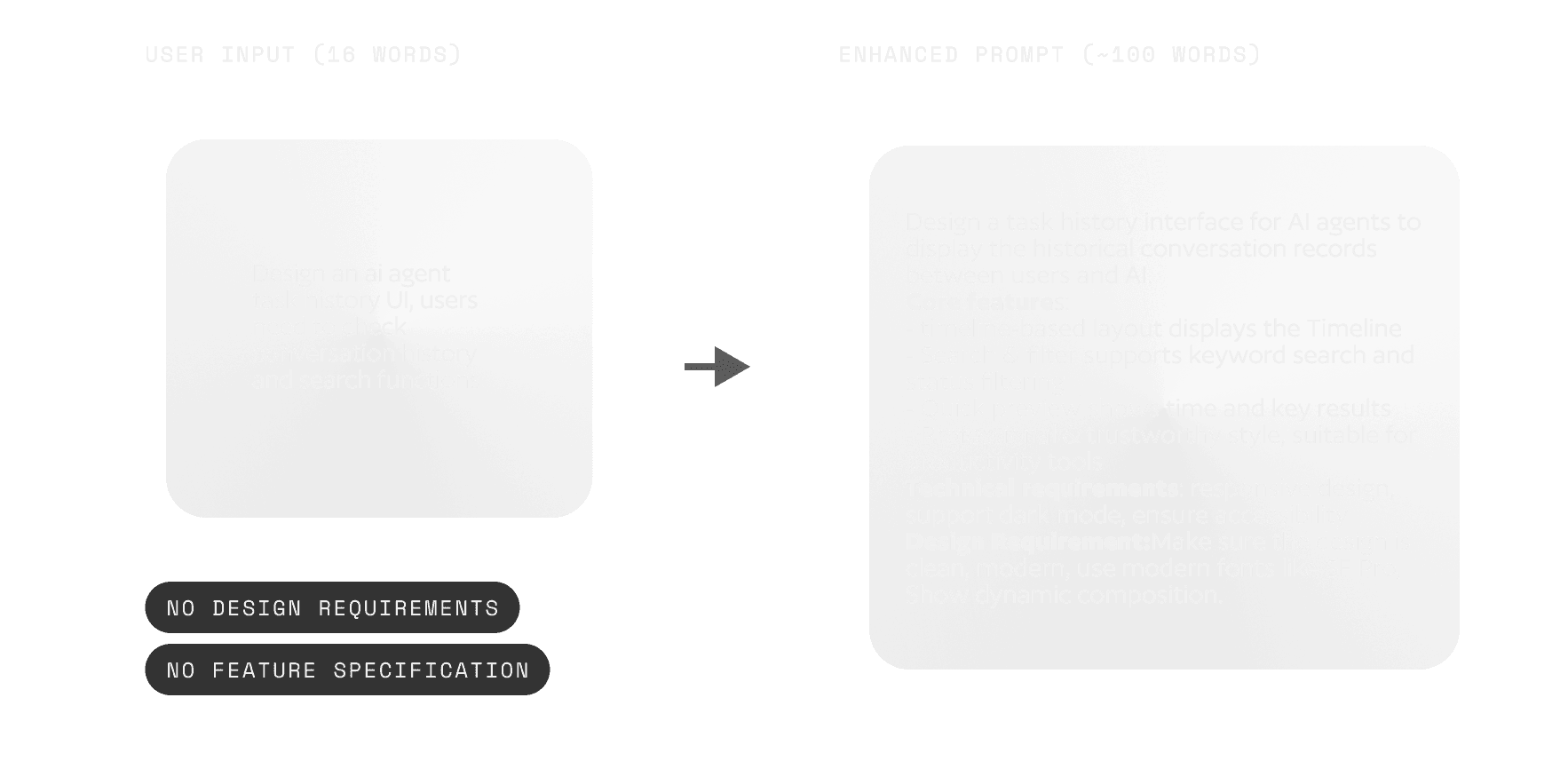
Differentiated Version Generation
Retrospection
What Worked
A shift in collaboration
This tool doesn’t replace designers, it changes when designers enter the process. Instead of spending multiple days crafting a mockup that may not be aligned with business goals, designers now spend 20 minutes generating aligned options, then apply their craft to refining the right direction.
Prompt engineering as interaction design
Designing AI behavior is the same as designing UI, because you need to understand the user’s mental model and set the right constraints.
Limitations & Next Steps
Current Limitation
No design system integration →→→→ output might not match brand standards
No version history →→→→ users can’t “roll back to version 1”
Not enough thinking process →→→→ users cannot understand why this UI generate like it
Next step: Figma Plugin
I’m developing a Figma plugin that lets designers use the tool directly inside their workflow.
Challenges:
A. v0 outputs export in React code, which must be converted into Figma-compatible structures
B. Figma APIs have limited auto-layout expressions, many CSS properties can’t be mapped directly
C. Need a way to maintain iteration history inside the plugin
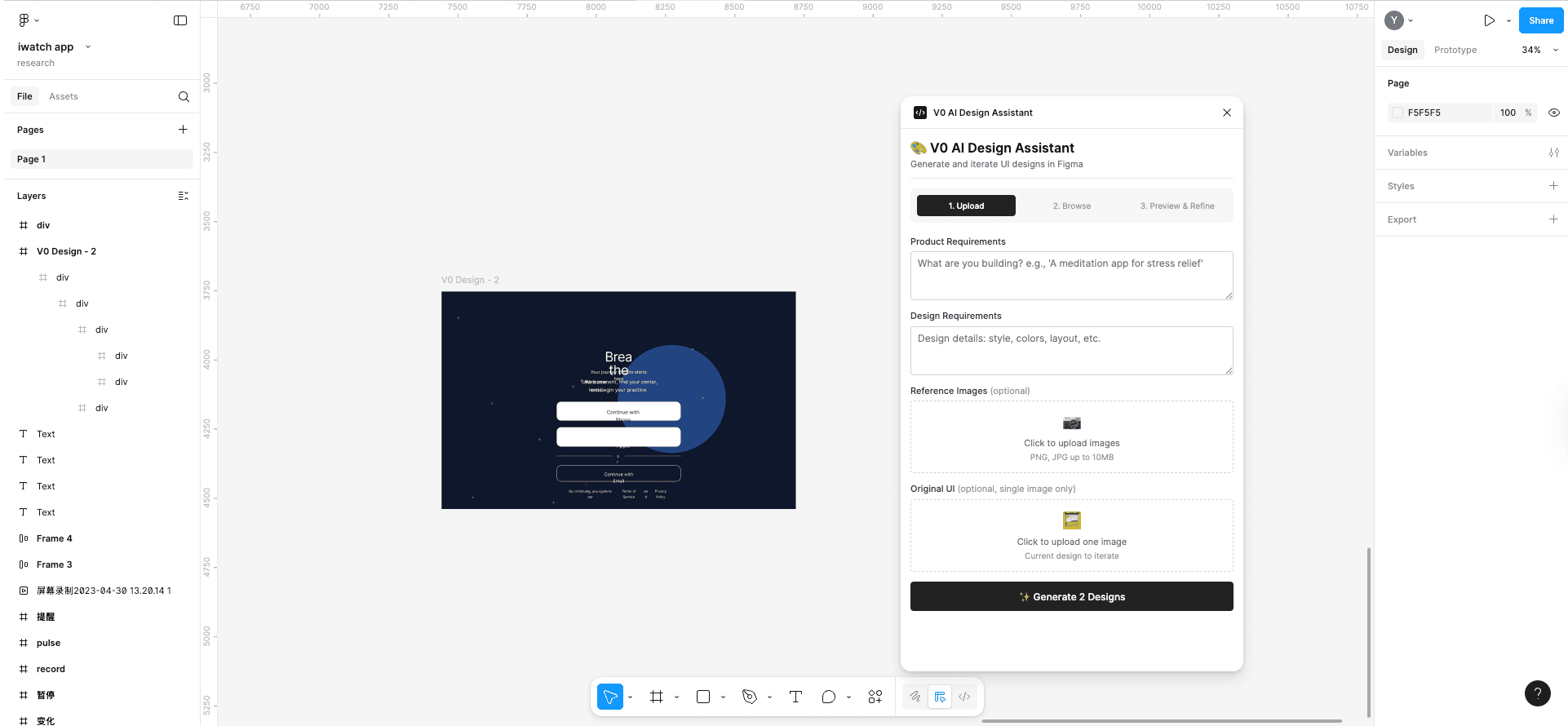
Currently, I’m testing the React-Figma translation logic in an isolated environment, so I can skip visual rendering to speed up debugging.
Yimeng Yao
2025
Made with Love